


 By
By Capcom announced that there are patches out for Resident Evil Requiem on every platform, and downloading it unlocks the Photo Mode feature on every system. The update also fixes some issues on every platform, as well as addresses a major PC crash for folks playing on Steam. This means that we could see the end of the “an unhandled exception occurred” message.
In the case of Photo Mode, it seems pretty easy to access while playing Resident Evil Requiem. The announcement noted the option is in the Pause Menu. Once you bring that up, there’ll be a notation at the end that lets you press a button to enter Photo Mode. (On PC, it’s the X button.) Once in, you get a number of options including the ability to autofocus, add foreground or background blur, change the character’s expression and eye position, adjust things like brightness, contrast, vignette, and bloom, add filters and lens distortions, select different frames, and add stickers.
Here are the first official screenshots of the mode that Capcom shared:
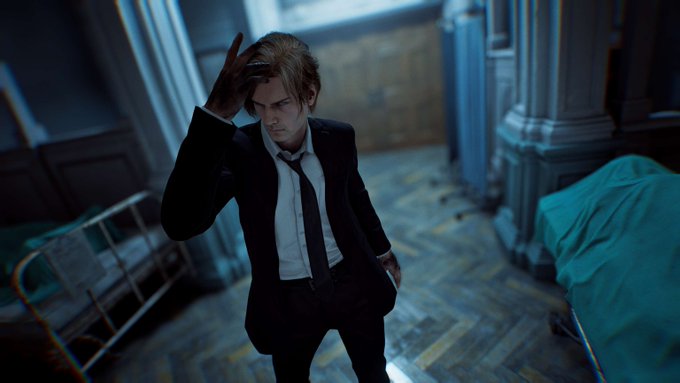
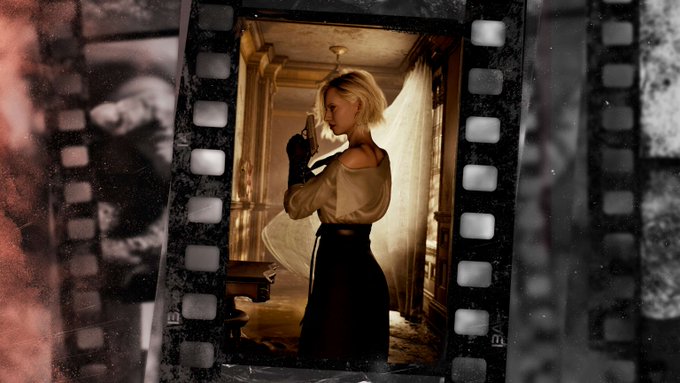
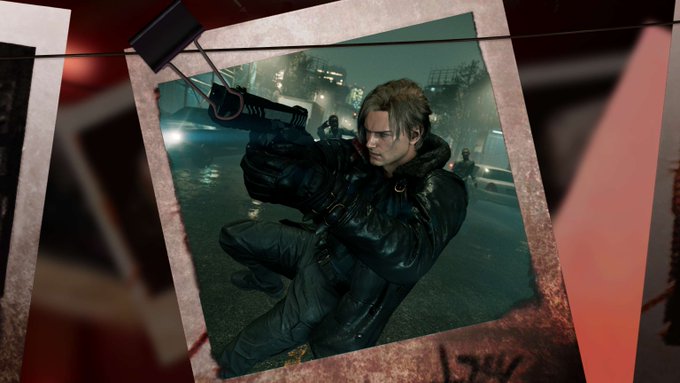
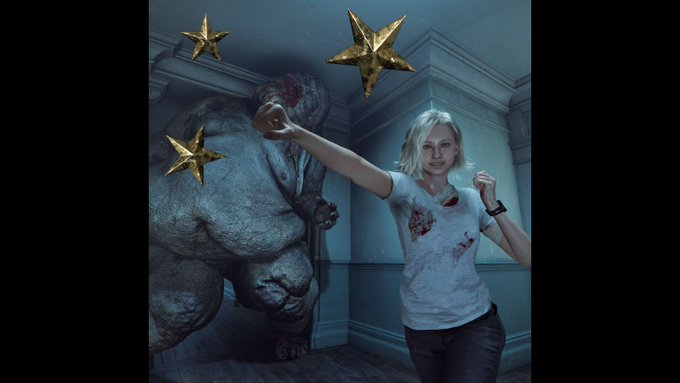
The full patch notes for the update appeared on Steam, and you can read those below. Almost all of them apply to every platform, with the only one that is a PC-exclusive bullet point being the elimination of the bug that would make the game crash.
- Photo mode has been added. It can be accessed from the pause menu.
- Fixed a bug that caused progress to be impossible under certain conditions.
- Typographical errors in some languages have been corrected.
- Character expressions in some cutscenes have been adjusted to better convey emotion.
- A number of issues were fixed to improve gameplay.
- Fixed visual bugs that occurred with some GPU drivers.
- Fixed a bug that caused the game to crash in some circumstances.
Resident Evil Requiem is available for the Switch 2, PS5, Xbox Series X, and PC, and the Photo Mode feature is live.